Exporting Builds
Once a build has finished recording, you can either review the data directly on the device,
or you can export a .zip file of all the images and metadata.
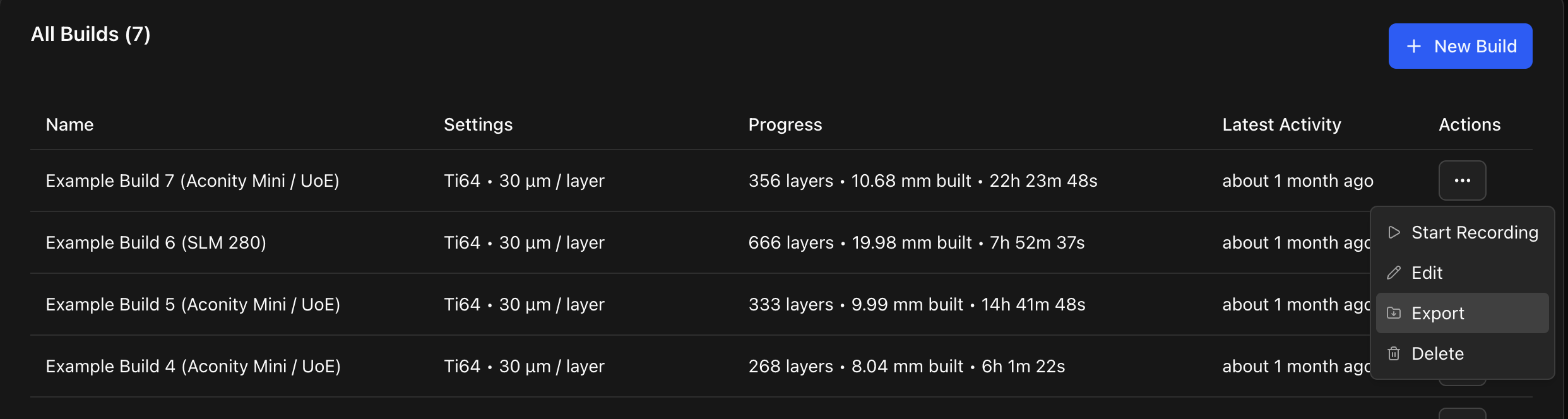
To export a build, find the build in the All Builds table on the Builds page and click Export.
The build could take several minutes (even an hour) to generate and download depending on the number of layers and the network speed available.
.zip structure
The .zip file is made up of multiple images and a single data.json file containing the build metadata. Images are named based on their layer number and type, for example:
000001_before_exposure.png000001_after_exposure.png000001_nir_maximum.png000002_before_exposure.png- And so on...
data.json schema
type dataSchema = {
  schemaVersion: string;
  build: {
    id: string;
    name: string;
    settings: {
      powderName: string;
      layerHeightMillimetres: number;
    };
    stats: {
      layerCount: number;
      heightMillimetres: number;
      firstLayerStartedAt: string;
      lastLayerFinishedAt: string;
      durationSeconds: number;
    };
    createdAt: string;
  };
  configuration: {
    serialNumber: string;
    nickname: string;
    softwareVersion: string;
    machine: {
      manufacturer: string;
      model: string;
    };
  };
  layers: {
    id: string;
    number: number;
    status: string;
    startedAt: string;
    finished: string;
    durationSeconds: number;
    heightMillimetres: number;
    images: {
      beforeExposure: {
        path: string;
      };
      afterExposure: {
        path: string;
      };
      nirMaximum: {
        path: string;
      };
    };
    notes: string;
  }[];
};