Viewing Builds
Once a build is being recorded, or once it has finished, you can view all associated data and layers via the dashboard.
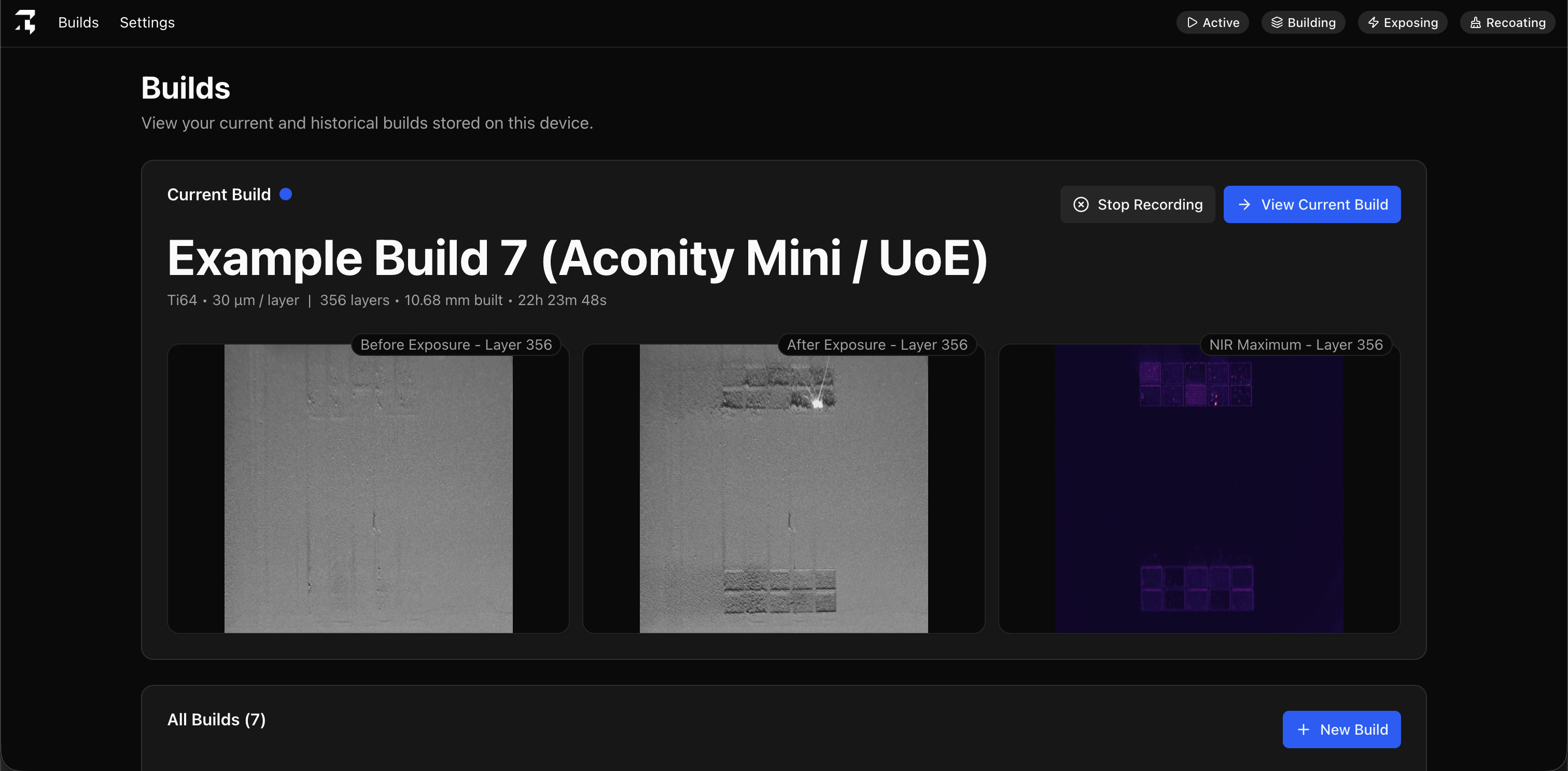
Check the current build
Navigate to the Builds screen and you will see the current build displayed. From this card, you can stop recording the build and also navigate through to the specific build page.
View build data
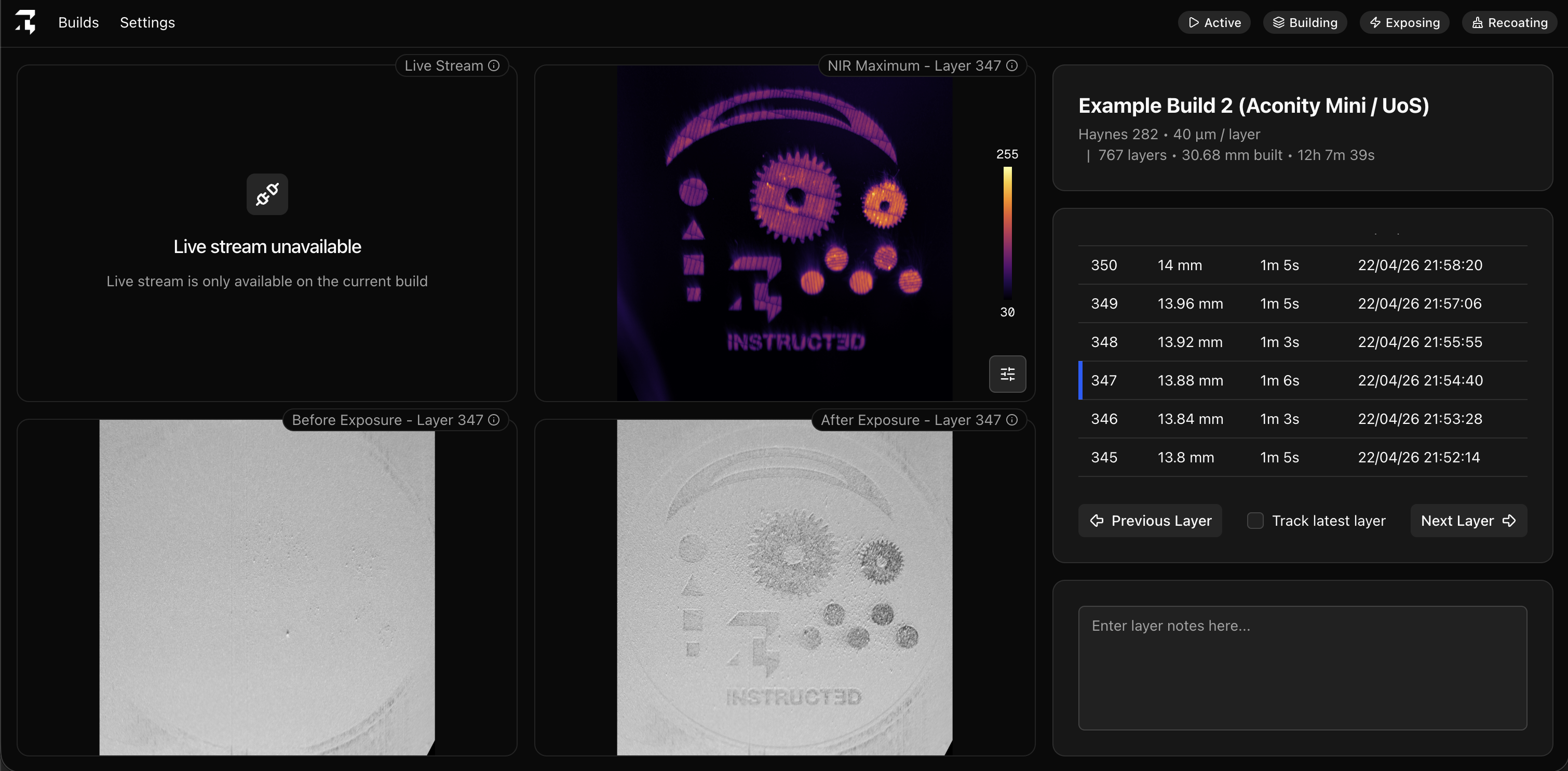
On the specific build page you can see a large amount of data and perform several actions:
- View all the captured layers in an ordered list.
- View before exposure, after exposure and NIR maximum images for each layer.
- Add notes to any layer.
- View live feeds from the optical or NIR camera.
- Zoom, pan and enlarge images.
- Change colour themes and threshold values for the NIR image.