Image Correction
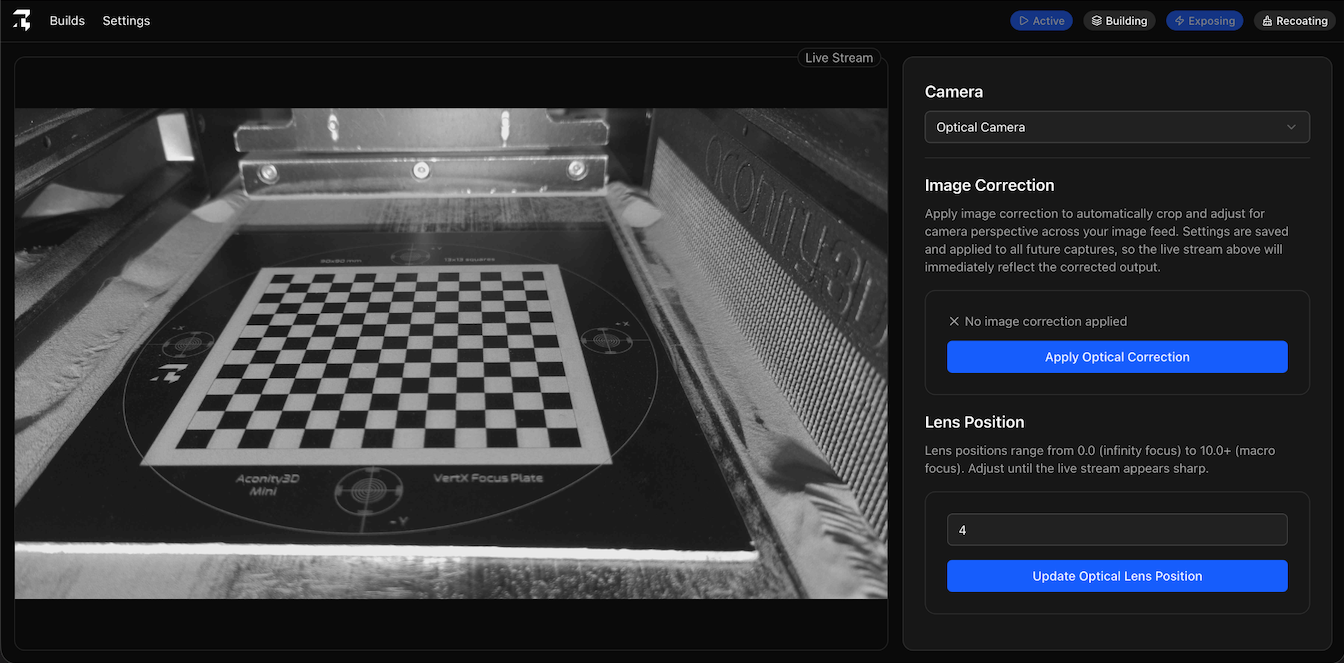
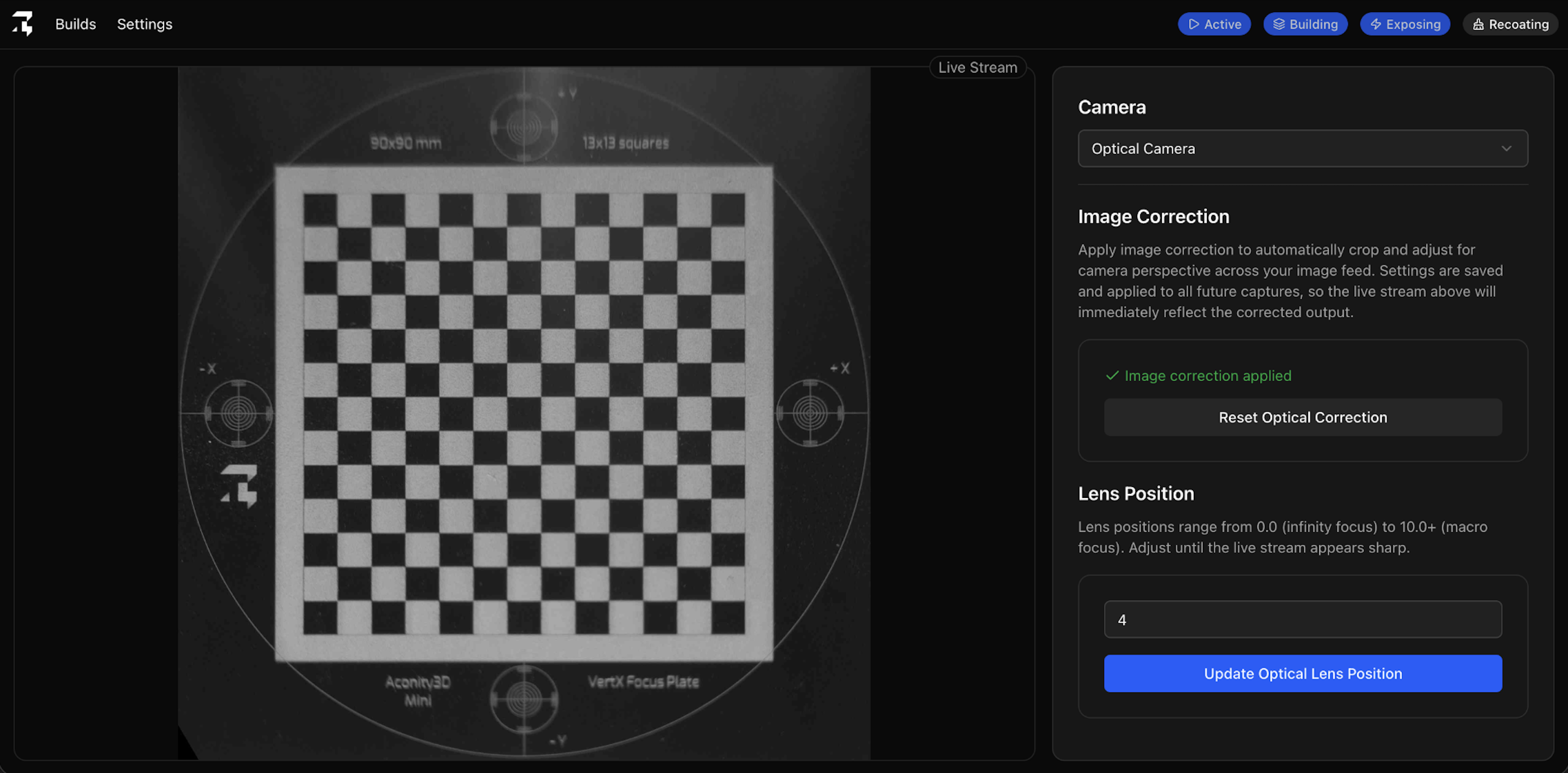
Image correction describes the process of using a checkerboard-based calibration plate to warp the camera feed so it appears as a perfectly cropped aerial shot rather than a sub-optimal angled view.
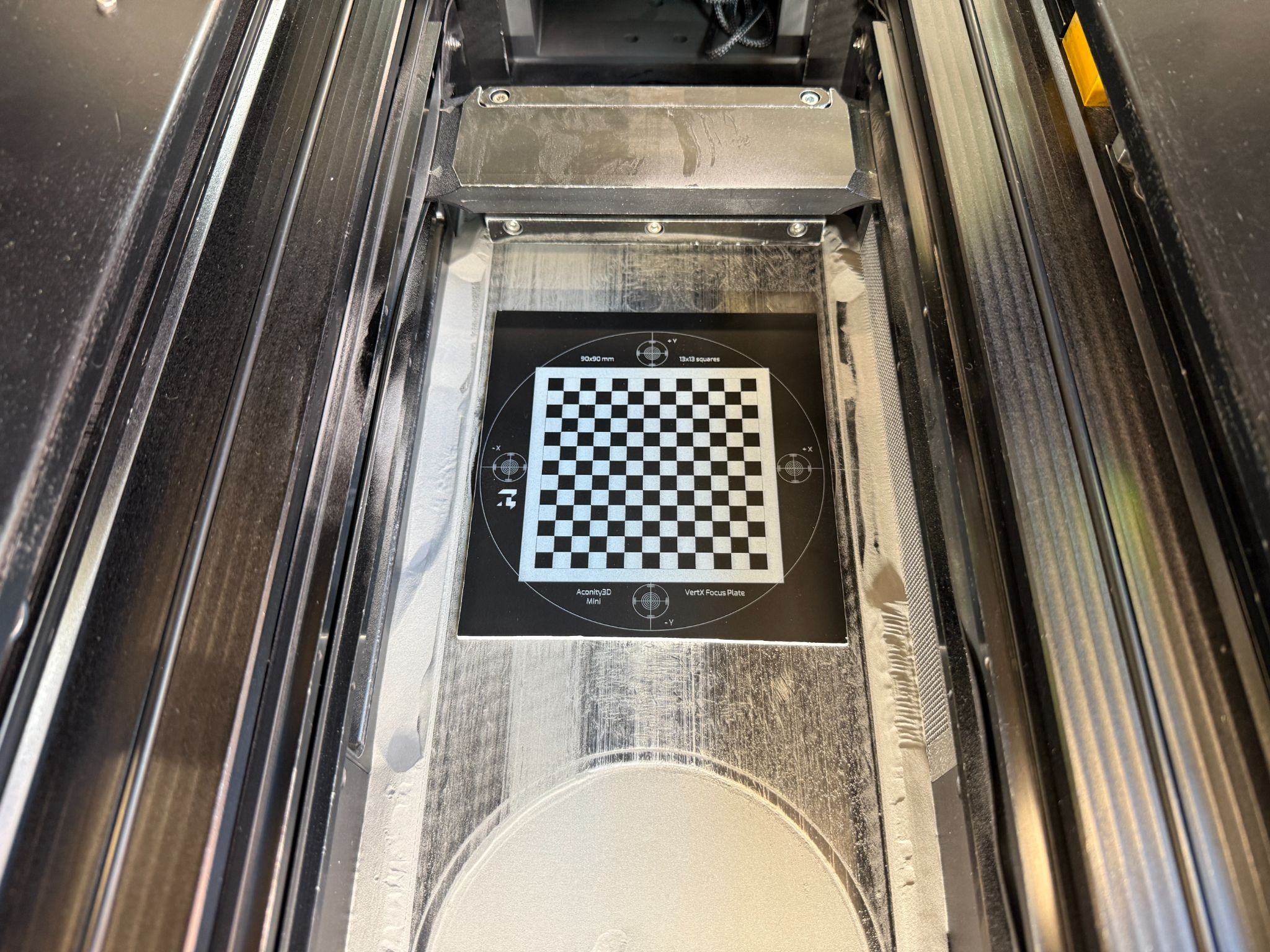
Insert calibration plate
To begin with you need to place your provided calibration plate into the build chamber.
Apply image correction
Next you need to apply image correction to both cameras:
- Navigate to the Settings page and click on Configure Cameras.
- Click on the Apply Image Correction button.
- The image feed should become instantly corrected.
- Repeat for both the Optical and NIR cameras.