Setting Focus Levels
There are two ways to adjust the focus levels of your device depending on the configuration. Manually, or via the dashboard.
Manual adjustment
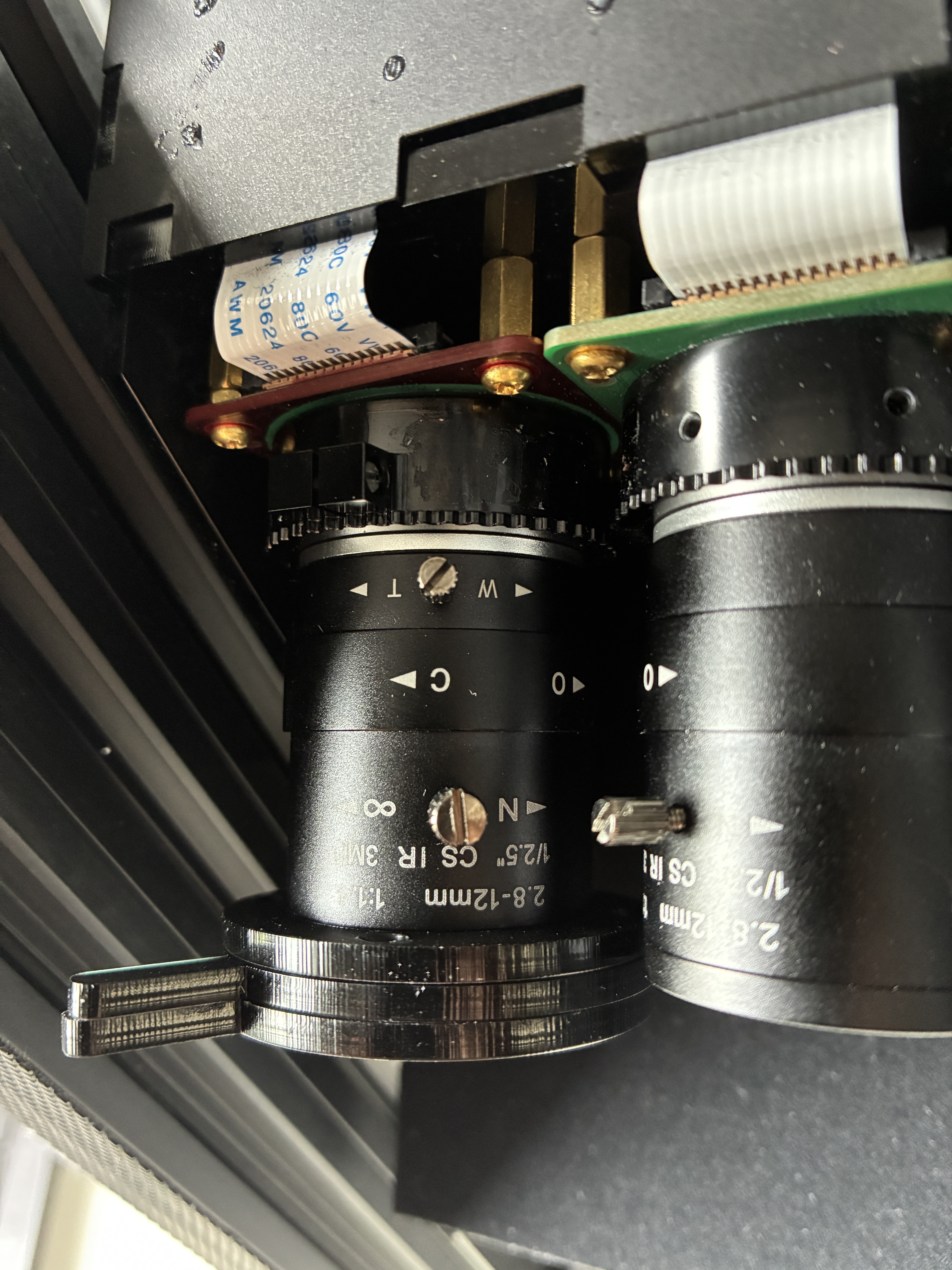
If your camera supports manual focus adjustment, you will need to physically adjust the focus on the camera using the focus ring. This procedure should be covered during your training, but it generally consists of the following steps:
- Loosen the grub screw on the camera.
- Rotate the focus ring until the image appears crisp and in focus (check via the dashboard).
- Tighten the grub screw to lock the position.
- Repeat for both the Optical and NIR cameras.
tip
The focus ring is identified by the N → ∞ labelling. It is the third ring from the sensor.
The first ring, labelled W → T, adjusts the zoom. The second ring, labelled O → C, controls the aperture.
Automatic adjustment
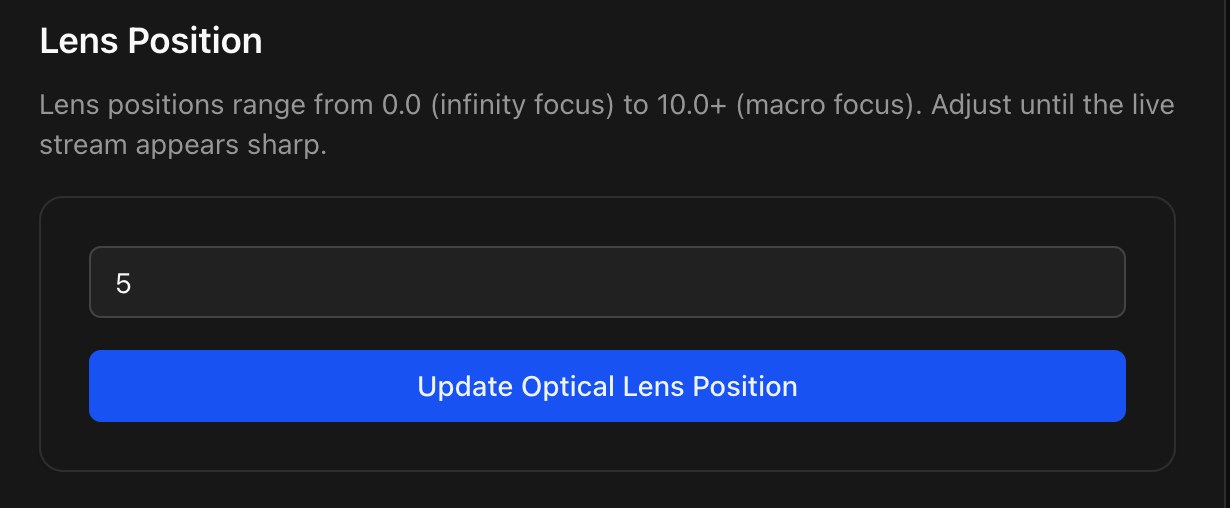
If your camera supports automatic focus adjustment, you will need to update the focus levels from the dashboard.
- Navigate to the Settings page and click on Configure Cameras.
- Look for the Lens Position option in the bottom right of the screen.
- Adjust the number between 0 and 10 in increments of ~0.1 until the image appears crisp and in focus.
- Repeat for both the Optical and NIR cameras.